AI in audio production means using machine-learning tools to clean, edit, mix, transcribe, translate and even generate sound. Used well, it removes hours of repetitive work so producers can focus on storytelling, while human judgment still decides what goes on air.
This guide from interworldradio.net explains what these tools actually do, where they help most, and which ethical and legal questions every broadcaster, podcaster and audio creator should weigh before relying on them.
Key Takeaways
- AI audio tools are best at repetitive tasks: noise reduction, transcription, leveling and rough editing.
- Synthetic voices and automatic translation can widen reach, but they demand clear disclosure and consent.
- Copyright rules for AI-generated material are still evolving, so creators should keep records of their human contributions.
- The strongest workflows treat AI as an assistant, with editors checking every output before publication.
What Does AI in Audio Production Mean?
At its simplest, AI in audio production is software that has learned patterns from large amounts of sound and speech. Instead of following fixed rules, it predicts what clean speech, a balanced mix or an accurate transcript should look like.
That prediction ability powers features now built into many editing programs and online services. Some tools work quietly in the background, while others generate entirely new audio from text prompts.
Assistive Tools vs Generative Tools
It helps to separate two families. Assistive tools improve or analyze audio you already recorded, such as removing hum or detecting silences. Generative tools create new material, such as a synthetic voice reading a script or a music bed composed from a description.
The distinction matters because generative output raises bigger questions about authenticity, consent and ownership than a filter that simply tidies a recording.
Where AI Helps Most in the Workflow
Most producers meet AI first in the unglamorous parts of the job. These are the tasks that eat time but rarely require creative decisions.
- Noise reduction and restoration: separating a voice from traffic, wind, echo or room tone.
- Transcription: turning interviews into searchable text, which speeds up editing and accessibility.
- Text-based editing: cutting audio by deleting words in a transcript rather than scrubbing a waveform.
- Loudness and leveling: balancing speakers and matching delivery targets for radio or streaming.
- Stem separation: isolating vocals, drums or dialogue from a mixed track for remixing or archive work.
- Metadata and tagging: suggesting chapter markers, keywords and summaries for show notes.
For podcast teams, these features can shorten turnaround dramatically. Our guide to podcasting for global audiences shows how faster transcripts and subtitles make shows easier to share across languages.
AI in the Radio Studio
Broadcasters are adopting similar tools. The United Nations World Radio Day page notes that AI can automate routine tasks such as scheduling, voice-tracking, weather and sports updates, freeing station teams to focus on creativity and connection, while keeping human judgment at the center.
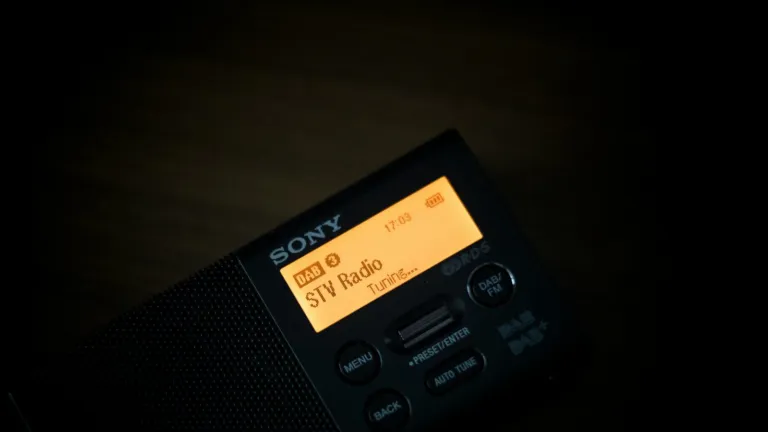
This fits wider changes in how radio is delivered. As stations move to platforms like digital radio DAB+ and streaming, they handle more data, more formats and more metadata, all areas where automation can support small teams.
Comparing Common AI Audio Tasks
Not every task carries the same level of risk. The table below summarizes typical uses and how much human oversight each one needs.
| Task | What AI Does | Main Benefit | Oversight Needed |
|---|---|---|---|
| Noise reduction | Separates speech from background sound | Rescues imperfect field recordings | Low: listen for artifacts |
| Transcription | Converts speech to text | Faster editing and accessibility | Medium: check names, accents and terms |
| Text-based editing | Links transcript words to audio | Quicker rough cuts | Medium: confirm meaning is preserved |
| Translation and dubbing | Renders speech in another language | Reaches new audiences | High: native-speaker review |
| Synthetic voice | Generates speech from text | Scalable narration and updates | High: consent and disclosure |
| Music generation | Creates beds or stings from prompts | Quick custom sound design | High: rights and originality checks |
Ethical Questions Every Producer Should Ask
Audio carries a special kind of trust. Listeners hear a voice and assume a real person said those words, which is why synthetic speech deserves extra care.
Consent and Voice Cloning
Cloning a voice should only happen with the clear, informed permission of the person behind it. That applies to presenters, guests and archive recordings alike. Producers should also consider how a cloned voice could be misused if files leak.
Transparency With Listeners
If a segment uses a synthetic narrator or machine translation, say so. A short on-air or show-notes disclosure protects credibility and helps audiences understand what they are hearing.
Accuracy and Bias
Speech models can struggle with less widely represented languages, regional accents and specialist vocabulary. That makes careful review essential for international and multilingual content, the kind of reporting the team at interworldradio.net cares about most.
Copyright and Ownership
Legal frameworks are still catching up. The U.S. Copyright Office’s artificial intelligence initiative is examining how copyright law applies to AI-generated material and to the works used to train AI systems, and it publishes ongoing reports and guidance.
Rules differ between countries, so creators working internationally should check local law. A practical habit is to document your human choices: the script you wrote, the edits you made and the sources you licensed.
How to Build a Responsible AI Audio Workflow
A thoughtful workflow lets you enjoy the speed of AI without giving up editorial standards. These steps work for solo creators and newsrooms alike.
- Start with clear goals. Decide which tasks you want to speed up and which must stay fully human.
- Test tools on real material. Try difficult recordings, accents and languages before committing.
- Keep originals. Always archive untouched source files in case processing introduces errors.
- Review every output. Listen back, read transcripts and verify translations with fluent speakers.
- Disclose generative use. Tell listeners when voices, music or translations are machine-made.
- Check rights. Read each tool’s terms and confirm you can use outputs commercially.
For more on the tools reshaping sound, browse our technology coverage and the latest features in our digital audio section. You can also explore the wider mix of global stories and features on interworldradio.net.
The Future of AI and Sound
AI will keep getting better at understanding and producing audio. The most valuable skills, however, will remain human ones: choosing which stories matter, asking good questions and knowing when something sounds wrong.
Producers who treat AI as a capable assistant rather than a replacement will be best placed to make audio that is both efficient and trustworthy.
Frequently Asked Questions
Will AI replace audio engineers and producers?
AI is unlikely to replace skilled producers soon. It handles repetitive tasks such as cleanup, leveling and transcription very quickly, but editorial judgment, interviewing, storytelling and creative mixing decisions still depend on people. Most teams use AI to save time, then redirect that time toward reporting, sound design and building relationships with listeners.
Is it legal to use an AI-generated voice in a podcast?
It depends on where you work and how the voice was made. Using a stock synthetic voice under a tool’s license is usually allowed, while cloning a real person requires their clear consent. Laws are evolving, so read each platform’s terms, check local regulations and always disclose synthetic voices to your audience.
What is the easiest AI audio tool to start with?
Automatic transcription and noise reduction are the gentlest starting points. Both improve material you already recorded, carry relatively low risk and deliver obvious time savings. Many editing programs include these features already. Once you are comfortable reviewing their results, you can experiment with text-based editing, stem separation or translation for multilingual audiences.
How accurate is AI transcription for different languages?
Accuracy varies widely by language, accent, audio quality and subject matter. Widely spoken languages recorded clearly tend to produce good results, while regional dialects, overlapping speakers and specialist terms cause more errors. Always proofread transcripts, especially names and quotes, and ask fluent speakers to review material before publishing or translating it.